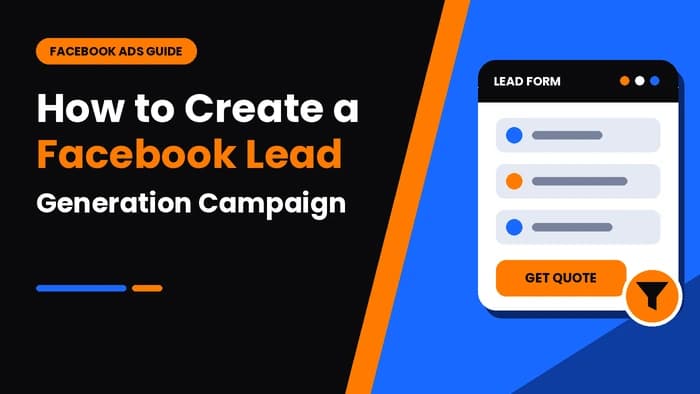
Now, you can generate more leads for your business through Facebook. Isn't it exciting to collect customers' information without making them go through a lengthy process? A Facebook lead generation campaign is one of the most effective ways to collect information from potential customers who are interested in your products or services.
Before Facebook introduced lead ads, customers had to click on an ad, visit another website, and fill out a form. Sometimes the page took longer to load, and many users left before completing the form. Thanks to this innovation, Facebook lead ads solve this problem by displaying an Instant Form as soon as a user clicks the ad. Moreover, the form is already partially filled with information from the user's Facebook profile, such as their name and email address.
In this blog, you will learn how to create a Facebook lead generation campaign, how it works, and the benefits of using it.
What Is a Facebook Lead Generation Campaign?
You can collect information from customers who are interested in your products and services through a Facebook lead generation campaign. It is an advertising campaign that helps you generate qualified leads by collecting your customers' contact information. Instead of sending users to another website, Facebook displays an Instant Form where they can quickly enter or confirm their details, such as their name, email address, phone number, or other information.
The best part is that the form is already pre-filled with information from the user's Facebook profile, so it takes only a few clicks to submit it. This makes the process faster, improves the user experience, and increases the chances of generating more leads.
How Do Facebook Lead Generation Ads Work?
Facebook lead ads are a way to generate qualified leads with just a few clicks. The campaign shows your ad to people who are interested in your products or services. When a customer clicks on the ad, instead of being sent to another website, an Instant Form pops up on the screen.
The form is already filled with some basic information, such as the user's name and email address. The customer only needs to add any additional required information and submit the form with just a few clicks. Once the form is submitted, you receive the lead information in Meta Ads Manager, where you can download it or connect it to your CRM or email marketing software.
Benefits of Facebook Lead Generation Campaigns
You can turn clicks into loyal customers with the help of a Facebook lead generation campaign. There are various benefits, from finding customers who are interested in purchasing your products to storing their data. Landing your dream clients has now become more effective and exciting. Here are the benefits of this campaign:
1) Generates Qualified Leads
You can get ideal prospects with this campaign because Facebook shows your ad to clients who are already interested in your products and services.
2) Easy-to-Fill-Out Forms
When the client clicks your ad, a form appears on the screen. This form is already filled with some information. The information is taken from your Facebook profile's personal details. It saves your client's time and makes it easy for him/her to fill out the rest of the form.
3) Higher Conversion Rates
This campaign won't wear your client out because your customer does not need to open another website or wait for a page to load. The form appears on the first click, which results in higher conversion rates.
4) Cost-Effective Advertising
This Facebook prospect-acquisition engine also allows you to collect leads at a lower cost. This means you can get loyal customers with a budget-friendly package.
5) Advanced Audience Targeting
You can target your audience based on location, age, gender, interests, behaviors, and many other factors.
6) Mobile Friendly Experience
The forms not only appear easily on computer desktops but also on mobile phones, which makes it convenient for users to submit their information.
7) Easy Lead Management
All the information about your customers is available in Meta Ads Manager, where you can download it or connect it to your CRM or email marketing software for quick follow-up.
Requirements Before Creating a Facebook Lead Generation Campaign
If you want your campaign to run smoothly, you need to take care of certain requirements before creating a Facebook client-capturing campaign. These are:
1) Facebook Business Page
You cannot run ads from your personal profile. For this, you need to create a business page on Facebook. Also, add the correct logo, contact details, website, and business description because they help customers learn about your services and products.
2) Meta Business Manager Account
You can easily manage all the assets of your business with the help of a Meta Business Manager account. It manages your Facebook Page, ad accounts, team members, Pixels, and other business tools securely.
3) Meta Ads Manager Account
It is the account where you will create, manage, and monitor all your Facebook lead-generation campaigns. Here, you can set your budget, define your target audience, create ads, and track campaign performance.
4) Verified Payment Method
You must add a verified payment method to your Meta ad account, such as a credit card, debit card, or PayPal. This allows you to pay for your ads securely.
5) Clear Marketing Goal
You need to know your marketing goal before launching your campaign. Whether you want to collect contact information, generate sales inquiries, book appointments, request quotations, or promote an event, your goal should be clear to achieve the best results.
6) Define Your Target Audience
One of the main benefits of this campaign is that you can target your audience based on location, age, gender, language, interests, behaviors, education, and job title.
7) High-Quality Ad Creative
Create creative and engaging ads with images and videos that attract customers to click and open your link.
8) Facebook Instant Form
You need to create an Instant Form by asking for details such as full name, email address, phone number, company name, city, job title, and custom questions related to your business.
9) Privacy Policy
You need to add a privacy policy link to your Instant Form. This policy explains how you collect, store, and use customer information.
10) Campaign Budget
You must determine your budget before selecting any Meta Ads plan. Meta allows you to set either a daily budget or a lifetime budget. Even a small budget can generate good results.
Step-by-Step Guide to Create a Facebook Lead Generation Campaign
Here is a step-by-step guide for creating a Facebook prospect acquisition campaign for your business:
Step 1
Log in to Meta Ads Manager.
Step 2
Click the Create button to start a new campaign.
Step 3
Choose the objective of your campaign. This helps Meta optimize your ads to find customers who are likely to fill in their personal details.
Step 4
Choose the Instant Forms conversion location.
Step 5
Give a clear name to your campaign.
Step 6
Select the budget for your campaign. You can choose a Daily Budget (how much you spend per day) or a Lifetime Budget (your total spending for the entire campaign).
Step 7
Define your target audience based on their age, gender, interests, behaviors, and other factors. This helps you find the right customers for your business.
Step 8
Select where you want to place your advertisements, either Automatic Placements or Manual Placements.
Step 9
Select your Facebook Page where you want to run the ad.
Step 10
Upload your ad creative, such as a single image, video, or carousel format.
Step 11
Create an Instant Form and add the required fields, such as name, email address, and phone number.
Step 12
Add your privacy policy link to assure customers that their information is in safe hands.
Step 13
Review all campaign settings carefully.
Step 14
Click Publish to submit your campaign for Meta's review.
Step 15
Once your campaign is approved, you can monitor and manage its performance in Meta Ads Manager and optimize it based on the results.
Best Tools for Managing Facebook Leads
Managing Facebook leads becomes easier with the help of modern tools. You can use these tools to organize customer information, automate follow-ups, track conversions, and improve your sales process. These tools are:
- Meta Ads Manager
- Meta Business Suite
- HubSpot CRM
- Salesforce CRM
- Zoho CRM
- Zapier
- Google Sheets
Conclusion
You can give wings to your business with the help of a Facebook Lead Generation Campaign. This campaign allows you to generate highly qualified leads. It is not a direct way to increase your rankings, but it helps you collect the information of potential clients who can become your loyal customers.
In this article, we have discussed a step-by-step guide so that you do not get stuck at any stage. However, a wise decision is to get this service from a well-known and trusted organization because it understands the packages and different strategies of this campaign.
FAQs
Frequently Asked Questions
If you want to create a Facebook lead generation campaign, first log in to Meta Ads Manager, click Create, and select the Leads objective. Next, set your budget, choose your target audience, create your ad, add an Instant Form to collect customer information, review everything, and click Publish.